
Power BI Customer Service Dashboard Examples
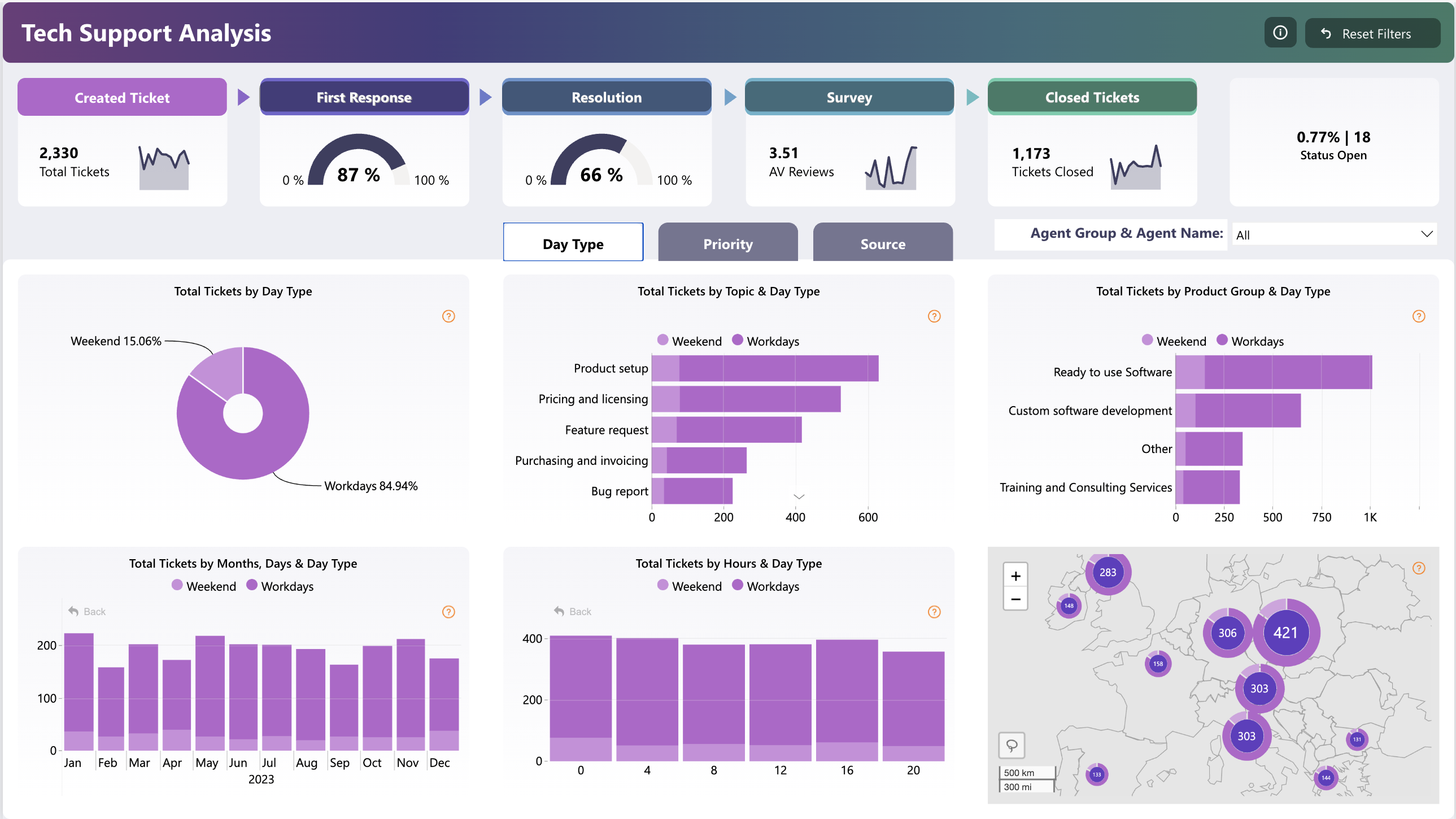
Support leaders need the same four answers every week: how much volume, how fast are we resolving it, are we inside SLA, and how do customers feel. The templates below track ticket inflow and backlog, first-response and resolution times, SLA compliance and CSAT/NPS trends — as PBIX files shaped like a typical helpdesk export.
Use them with Zendesk, Freshdesk, Intercom or any system that can export a ticket table.
2 templates in Customer Service
Browse all templates →
Frequently asked questions
How do the templates measure SLA compliance?
Each ticket row carries target and actual response/resolution timestamps; the templates compute breach flags and compliance % by queue, priority and period — all editable DAX.
Can I track CSAT and NPS in the same report?
Yes — the service templates include a survey-response table joined to tickets, with CSAT averages and NPS calculation (promoters minus detractors) pre-built.
What export do I need from my helpdesk?
A ticket-level CSV with created/first-response/resolved timestamps, status, priority and agent. The bundled example dataset shows the exact expected columns.