
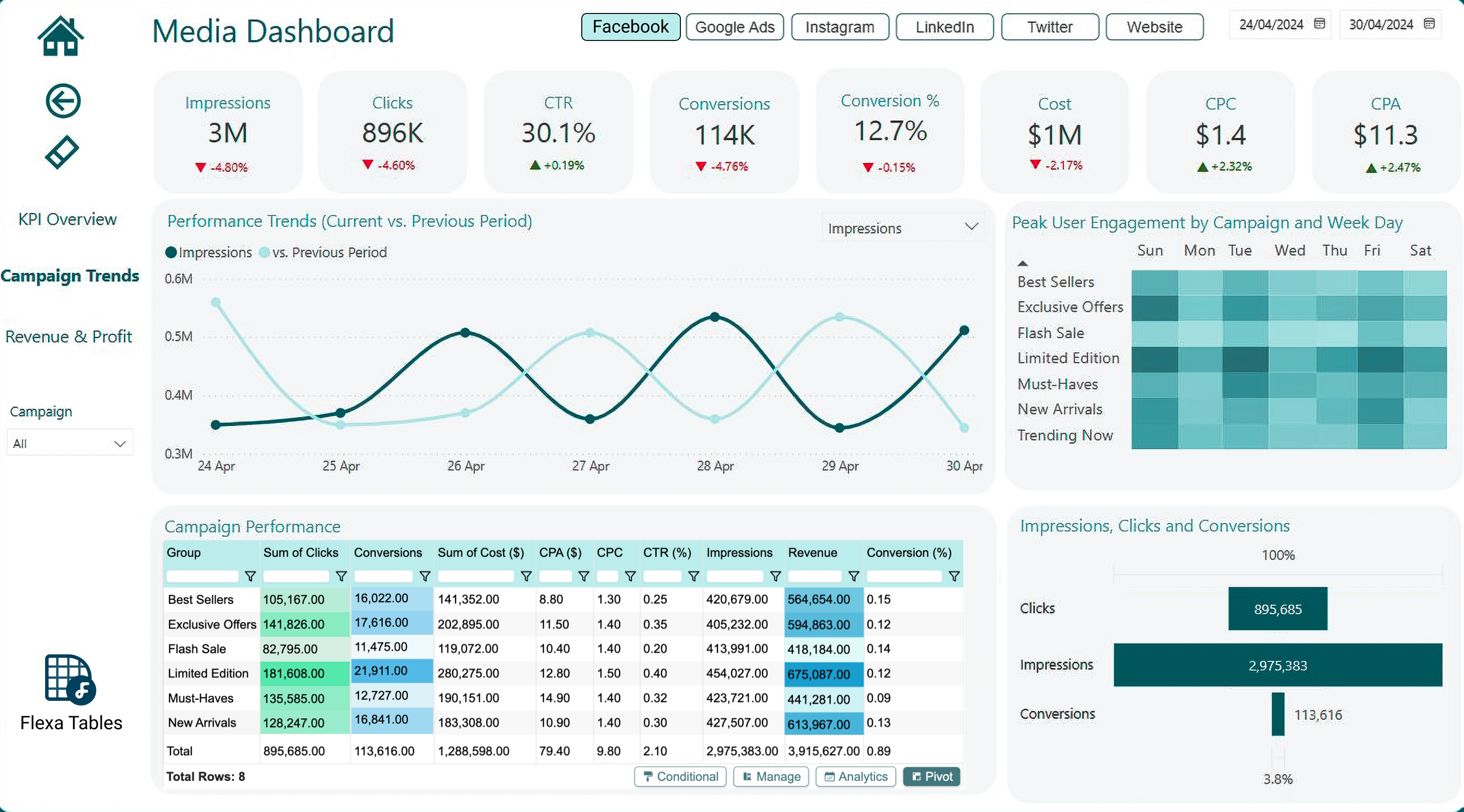
6 Must-Know Tips for Every New Power BI Developer
Hey there, new Power BI developers! If you’re just starting your journey with Power BI, welcome to an amazing world of data visualization and insights. But let’s be real, getting started can feel overwhelming, and it’s easy to make mistakes that slow you down or frustrate your users. Don’t worry, though, I’ve got your back. Here are 6 essential tips every beginner needs to hear to set yourself up for success and create reports that truly shine. Let’s dive in!
1. A Cluttered Data Model Will Cause Trouble Down the Road
When you’re building your Power BI report, it’s tempting to rush through the data model and just focus on the visuals. But here’s the truth: a poorly organized data model will create headaches later, trust me on this one. Imagine mismatched relationships, duplicate tables, or broken calculations showing up months after you’ve shared your report. It’s a nightmare! A messy model can lead to slow performance, incorrect results, and a lot of rework.
What to Do: Take time to plan your data model upfront. Create clear relationships between tables, remove unnecessary columns, and use a star schema (fact and dimension tables) for better performance. Tools like the Model view in Power BI are your best friend here. A clean data model is the foundation of a great report!
2. User Experience Isn’t Just a Bonus, It’s What Users See
You might think user experience (UX) is just about making your report look pretty or that it’s only about the “front end.” But here’s the thing: UX is everything your users interact with. It’s how easily they can find the insights they need, how intuitive your filters are, and how clear your visuals are. A bad UX can make even the most insightful report feel unusable, and users will ditch it faster than you can say “dashboard.”
What to Do: Put yourself in your users’ shoes. Use consistent layouts (like the Z-pattern I’ve mentioned in my design secrets blog), make navigation simple, and avoid clutter. For example, don’t cram everything onto one page, spread out your insights across focused pages. A great UX makes your report a joy to use, not a chore.
Do Check out: 8 Simple Tips to Create Stunning Dashboards
3. Inaccurate Data Can Undermine Your Entire Report
One of the fastest ways to lose trust in your Power BI report is to show incorrect numbers. If a user spots a single mistake, like a sales total that doesn’t add up, they’ll start questioning everything in your report, even the parts that are correct. Inaccurate data can damage your credibility and make your hard work go to waste.
What to Do: Double-check your calculations and data sources before sharing your report. Test your measures (like the Average Sales or Prev Sales MTD we talked about earlier) with sample data to ensure they’re accurate. And if you’re using DAX, watch out for common pitfalls like incorrect filter contexts. Accuracy is everything, don’t skip this step!
4. Avoid the Automatic Date/Time Feature at All Costs
Power BI has a setting that automatically creates date/time hierarchies for your date columns, and it might seem like a time-saver. But here’s the catch: it’s a trap! This feature can bloat your data model with hidden tables and columns you don’t need, slowing down your report and causing confusion when you’re building calculations or visuals. It’s a sneaky performance killer.
What to Do: Turn off the auto date/time setting in Power BI’s options (File > Options and Settings > Options > Data Load > Time Intelligence). Instead, create your own date table using DAX or Power Query, and mark it as your Date Table. This gives you full control over your date hierarchies and keeps your model lean. Trust me, you’ll thank me later!
5. Keep Bookmarks to a Minimum for Simpler Reports
Bookmarks in Power BI are great for creating interactive features, like toggling between different views or resetting filters. But here’s a tip: the fewer bookmarks you use, the easier your report will be to maintain. Too many bookmarks can turn your report into a tangled mess of navigation logic, making it hard to update or troubleshoot later. Plus, they can confuse users if the navigation isn’t intuitive.
What to Do: Use bookmarks only when they add real value, like for a “Reset All Filters” button or a simple toggle between two views. If you can achieve the same result with slicers or drill-downs, go for those instead. Simplicity is key to a smooth user experience and a report that’s easy to manage.
6. Don’t Take Feedback Personally, Learn and Move On
When you share your Power BI report with users, you might get feedback that stings a little. Maybe they don’t like the layout, or they find a visual confusing. It’s easy to feel defensive, after all, you put so much effort into it! But here’s the secret: feedback isn’t about you; it’s about making the report better. Taking it personally will only hold you back from growing as a developer.
What to Do: Listen to feedback with an open mind and use it to improve your report. If a user says a visual is hard to understand, try simplifying it (maybe by using fewer visual types, as I mentioned in my design secrets blog). Feedback is a gift, it helps you see your report from a fresh perspective and make it more user-friendly. Let go of the ego and keep improving!
Also check out:Top 5 Design Secrets for Power BI Reports
Why These Tips Matter for New Developers
As a new Power BI developer, you’re building the foundation for your skills and reputation. These 6 tips help you avoid common pitfalls that can frustrate users, slow down your reports, or damage trust in your work. By focusing on a clean data model, prioritizing user experience, ensuring data accuracy, avoiding auto date/time, minimizing bookmarks, and embracing feedback, you’ll create reports that are not only functional but also loved by your users.
Follow these tips, and you’ll be on your way to becoming a Power BI pro in no time!
Your Turn to Grow
Which of these tips resonates with you the most? Have you already run into some of these challenges as a new Power BI developer? Or do you have your own lessons learned to share? Drop a comment below, I’d love to hear from you! If you’re looking for more Power BI tips, check out my other blogs, like “Top 5 Third-Party Power BI Visuals You Gotta Check Out in 2025” or “7 Fastest Ways to Kill Power BI Report Adoption.” Thanks for reading, and happy developing!


