
Power Bi SamePeriodLastyear vs DateAdd Differences Guide
Both SAMEPERIODLASTYEAR and DATEADD are used for year-over-year and period comparisons in Power BI DAX. They look similar but behave differently — and choosing the wrong one causes subtle errors that are hard to spot. This guide explains both clearly, and shows when you can skip DAX entirely.
In this article
1. What SAMEPERIODLASTYEAR Does
SAMEPERIODLASTYEAR returns a table containing a column of dates, shifted one year back. It's specifically designed for year-over-year comparisons and works by returning the same dates from the previous year — not just a -12 month shift.
Revenue PY=
CALCULATE(
[Revenue],
SAMEPERIODLASTYEAR('Date'[Date])
)
Key behavior: If you filter to Q1 2026 (Jan–Mar), SAMEPERIODLASTYEAR returns Q1 2025 (Jan–Mar). It respects whatever time period is currently selected — making it ideal for use in visuals with date slicers.
2. What DATEADD Does
DATEADD is more flexible — it shifts any set of dates by a specified number of intervals (days, months, quarters, or years). Unlike SAMEPERIODLASTYEAR, it's not limited to year shifts.
-- YoY using DATEADD
Revenue PY= CALCULATE([Revenue],
DATEADD('Date'[Date], -1, YEAR))
-- MoM using DATEADD
Revenue PM= CALCULATE([Revenue],
DATEADD('Date'[Date], -1, MONTH))
3. Key Differences
| Aspect | SAMEPERIODLASTYEAR | DATEADD |
|---|---|---|
| Use case | Year-over-Year only | Any interval (day, month, quarter, year) |
| Syntax simplicity | Simpler | More verbose but flexible |
| Partial year behavior | Returns same partial period | Shifts exact dates by interval |
| Fiscal year support | ⚠️ Requires fiscal Date table | More flexible |
| When to use | Standard YoY on calendar year | MoM, QoQ, DoD, custom shifts |
4. Limitations of Both Approaches
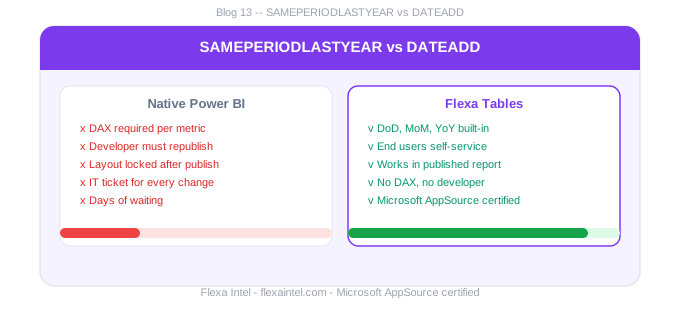
Both functions share the same fundamental limitation: they require a developer to write and maintain DAX measures for every metric. They cannot be used by end users directly — they live in the data model and must be pre-built before publishing. Common pain points:
- Both require a properly configured Date table marked as a Date table
- Both need one measure per metric — 8 KPIs × 3 variance types = 24 DAX measures
- Neither allows end users to add new variance comparisons after publishing
5. When to Skip DAX Entirely
If your primary goal is giving end users the ability to add their own period comparisons in published reports — rather than locking variance into pre-built measures — then Flexa Tables is the right tool. It bypasses the need for SAMEPERIODLASTYEAR and DATEADD entirely:
Use DAX (SAMEPERIODLASTYEAR / DATEADD) when:
- You're building governed executive dashboards with fixed variance columns
- You need complex custom time logic (fiscal year, 53-week year)
Use Flexa Tables when:
- End users need to add their own variance comparisons after publishing
- You want to avoid maintaining 15–25 DAX measures per report
Skip SAMEPERIODLASTYEAR — try built-in variance
Flexa Tables on AppSource. Free trial, no credit card, no DAX required.
Get Free Trial on AppSource →What is the difference between SAMEPERIODLASTYEAR and DATEADD in Power BI?
SAMEPERIODLASTYEAR is a shortcut specifically for year-over-year comparisons — it returns the same period from the previous year. DATEADD is more flexible — it can shift dates by any interval (day, month, quarter, year). For standard YoY, use SAMEPERIODLASTYEAR. For MoM, QoQ, or DoD, use DATEADD. Both require a Date table marked as a date table.
Can I do Power BI YoY without SAMEPERIODLASTYEAR?
Yes, using DATEADD('Date'[Date], -1, YEAR) inside CALCULATE. The results are typically identical for calendar years. For fiscal years or partial periods, the behavior can differ. Or use Flexa Tables — a certified custom visual that adds YoY without any DAX at all.
Flexa Intel Team
Power BI Custom Visuals — flexaintel.com
We build Microsoft-certified Power BI visuals for analysts and finance teams.


