
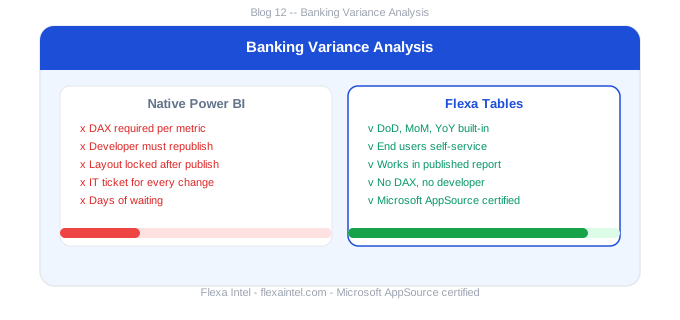
Power BI for Banking Reporting: Variance Analysis Finance Teams
Banking and financial services generate some of the most complex reporting requirements in any industry — NII variance, cost-to-income ratios, portfolio performance across hundreds of products. Power BI handles the scale well. But every time a finance analyst needs to add a variance column or regroup by business line, they're filing a ticket. This guide shows how to change that.
In this article
1. Power BI in Banking: Common Reporting Use Cases
Power BI is widely adopted in banking for its ability to handle large datasets, connect to core banking systems, and distribute reports across the organization. The most common use cases include:
💳
Net Interest Income (NII)
Monthly NII variance by product, segment, and geography. MoM and YoY changes tracked against plan.
📊
Cost-to-Income Ratio
Operating cost vs income variance by division. YoY trend and budget vs actual comparison for efficiency reporting.
🏦
Portfolio Performance
Loan book, deposits, and fee income MoM and YoY by product line, relationship manager, and region.
⚠️
Credit & Risk
NPL (non-performing loan) ratios, provisioning variance, and credit cost MoM trends by segment.
2. Variance Analysis Challenges Specific to Banking
Banking reporting has specific variance analysis challenges that go beyond what most Power BI tutorials cover:
- Multiple dimensions simultaneously: NII variance needs to be sliced by product, segment, region, and time period — all at once. Matrix visuals lock this structure after publishing.
- Frequent stakeholder-specific views: CFO needs group-level YoY, Head of Retail needs product-level MoM, Risk wants DoD NPL movement. Three different layouts = three developer requests per month.
- Fast regulatory and audit needs: Auditors and regulators often need ad hoc variance views that weren't pre-built. "Show me this metric's MoM for the last 6 months by counterparty" — impossible with locked Matrix layouts.
In large banks, BI developer queues can stretch to weeks. A finance analyst who needs a variance view for a regulatory submission on Friday cannot wait for the next sprint. The workaround — exporting to Excel — breaks governance and creates data version risk.
3. Self-Service Variance for Banking Teams
Flexa Tables is a Microsoft-certified Power BI custom visual that gives banking finance teams self-service control over variance analysis in published reports:
- MoM and YoY built-in: Select any two periods and NII, cost, and portfolio metrics show their variance instantly — no DAX, no developer
- Restructure by dimension: Switch from product-level to segment-level to region-level grouping in seconds — self-service for each stakeholder audience
- Live data, no exports: All variance views work on the live Power BI dataset — no Excel export, no data version risk, fully governed
Banking teams: try variance analysis self-service
Flexa Tables on Microsoft AppSource — free trial, no credit card.
Get Free Trial on AppSource →How is Power BI used in banking for variance analysis?
Power BI is used in banking for NII variance, cost-to-income ratio tracking, portfolio performance MoM/YoY, and credit/risk monitoring. Natively, variance columns require DAX measures built by a developer. Flexa Tables adds self-service MoM/YoY/DoD variance directly in published reports without DAX.
Can banking finance teams add variance columns without a Power BI developer?
Not with the native Matrix visual. With Flexa Tables — a Microsoft-certified AppSource visual — banking finance teams can add DoD, MoM, and YoY variance columns themselves in the published Power BI Service report, without IT involvement.
Flexa Intel Team
Power BI Custom Visuals — flexaintel.com
We build Microsoft-certified Power BI visuals that close the gap between what Power BI does natively and what analysts and finance teams actually need.


