
Power BI vs Excel Financial Reporting: Decision Guide 2026
"Should we use Power BI or Excel for our financial reporting?" is one of the most common questions finance teams face when modernizing their analytics stack. The answer isn't simple — and anyone who gives you a one-word answer is missing the point. Here's the framework finance teams actually need.
In this article
1. The Core Architectural Difference
Excel and Power BI were built for fundamentally different workflows. Understanding this distinction prevents most of the "which should we use?" confusion:
📊 Excel — Analyst Tool
Built for an individual analyst to explore data, build models, and create ad hoc reports. The analyst owns the file, controls the layout, and shares the output as a file.
📈 Power BI — Distribution Platform
Built for a developer to create a governed report that thousands of users consume via a URL. The developer controls the layout; users view and interact within defined limits.
Most "Power BI vs Excel" debates miss this. They're not competing for the same job — they're architecturally different tools. The real question is: which workflow does your finance team need?
2. When Excel Wins for Financial Reporting
- One-off analysis: Ad hoc financial models, scenario planning, deal analysis — Excel's unconstrained flexibility is the right tool
- Complex formulas: XNPV, XIRR, complex array formulas, custom depreciation schedules — Excel's formula engine remains unmatched
- Small datasets under 1M rows: No performance advantage to Power BI's columnar engine at this scale
- File-based delivery expected: Auditors, regulators, and boards often expect Excel files — file sharing is the right format
3. When Power BI Wins for Financial Reporting
- Large datasets: Power BI's columnar storage handles tens of millions of rows without the performance degradation Excel hits at 1M+
- Live data: Automatic refresh from databases, cloud sources, or APIs — no manual copy-paste, always current
- Broad distribution: 500 users viewing the same report via a URL, with row-level security — impossible to manage with Excel files
- Governance and security: Row-level security means each department head sees only their data — impossible to reliably implement in Excel
4. When the Answer Is "Both"
The most common enterprise finance setup is a hybrid: Power BI for governed, live reporting distributed to hundreds of users — and Excel for the analyst layer where deep modeling happens. The problem arises when finance teams need the flexibility of Excel inside their Power BI reports.
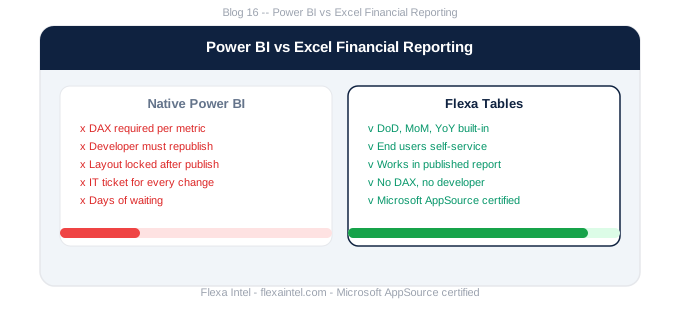
This is exactly what Flexa Tables addresses: it gives finance teams the Excel pivot table experience (drag-and-drop, variance columns, dynamic grouping) inside published Power BI reports. The best of both worlds — live governed data with analyst-level flexibility.
Power BI (with Flexa Tables) for governed operational and management reporting. Excel for modeling, scenario analysis, and one-off analytical work. Use each for what it was built for — don't try to make one tool do everything.
5. Decision Matrix by Scenario
| Scenario | Excel | Power BI | Power BI + Flexa Tables |
|---|---|---|---|
| Monthly P&L for 500+ viewers | ❌ | ⚠️ Fixed | ✅ Self-service |
| DCF / LBO financial model | ✅ | ❌ | ❌ |
| Live budget vs actual with MoM | ⚠️ Stale data | ⚠️ DAX required | ✅ Best option |
| 10M+ row transactional data | ❌ | ✅ | ✅ |
| Finance analyst ad hoc pivot | ✅ | ❌ | ✅ In browser |
Get Excel flexibility inside Power BI
Flexa Tables on AppSource — free trial, Microsoft certified.
Get Free Trial on AppSource →Read: Power BI Pivot Table vs Excel — What Nobody Tells You →
Should finance teams use Power BI or Excel for reporting?
Use Power BI for governed, live reporting distributed to many users — especially with large datasets. Use Excel for ad hoc modeling, complex formulas, and one-off analysis. For finance teams that need both live data and Excel-style pivot flexibility, Power BI with Flexa Tables covers both use cases in one platform.
Can Power BI replace Excel for financial reporting?
Partially. Power BI replaces Excel for distribution, live data connections, and large-dataset reporting. It doesn't replace Excel for financial modeling, complex formula work, or ad hoc pivot analysis — though Flexa Tables closes the pivot gap significantly by giving end users drag-and-drop pivot and variance analysis inside published Power BI reports.
What is the main advantage of Power BI over Excel for financial reporting?
Scale, sharing, and live data. Power BI handles datasets that would crash Excel, distributes reports to thousands of users via a single URL, refreshes automatically from data sources, and applies row-level security so each viewer sees only their data. None of these are practical in Excel at enterprise scale.
Flexa Intel Team
Power BI Custom Visuals — flexaintel.com
We build Microsoft-certified Power BI visuals that close the gap between what Power BI does natively and what analysts and finance teams actually need.


